Installing Windows 8

The Windows 8 Consumer preview was released on February 29. I started downloading the ISO the same day It was released and it took me 2 1/2 days to complete the download with my 256 kbps connection 🙂

I used VMware Fusion to install the Windows 8 CP on my OS X Lion. It tool the below simple steps to complete the installation in 20 minutes.

It starts with the usual installation procedure by asking the Language,keyboard input method followed by this screen. Look at the new Metro style Windows Logo. It’s simple and clean 🙂

It will ask for the product key once you click the Install now button. I forgot to copy the product key while downloading and then got it back from the same windows 8 CP download page. I chose Custom installation and then came up the familiar widows installation screen 🙂
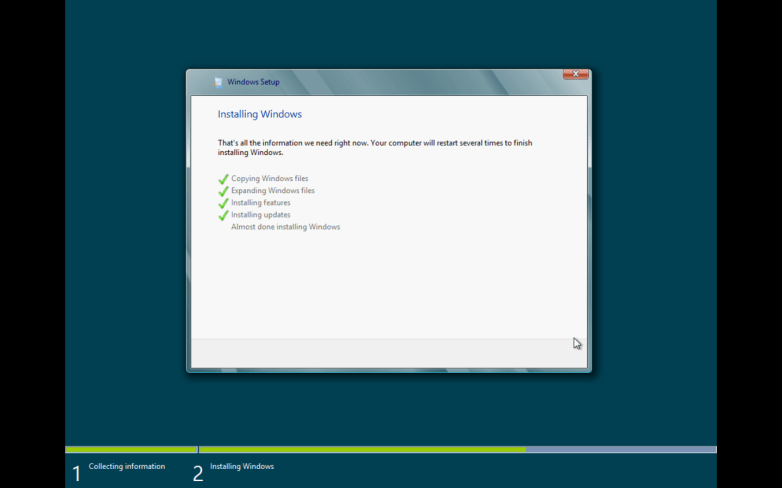
After installation, It asks for personalizing the computer. It gives you a choice for choosing the color. None of it was good so I chose the default one.

Once personalization is over, it showed up the Settings screen to keep your computer up to date and then the account page that asks for the windows live ID and login credentials. Once all these are completed, The windows shows up my favourite Metro Style Start screen 🙂
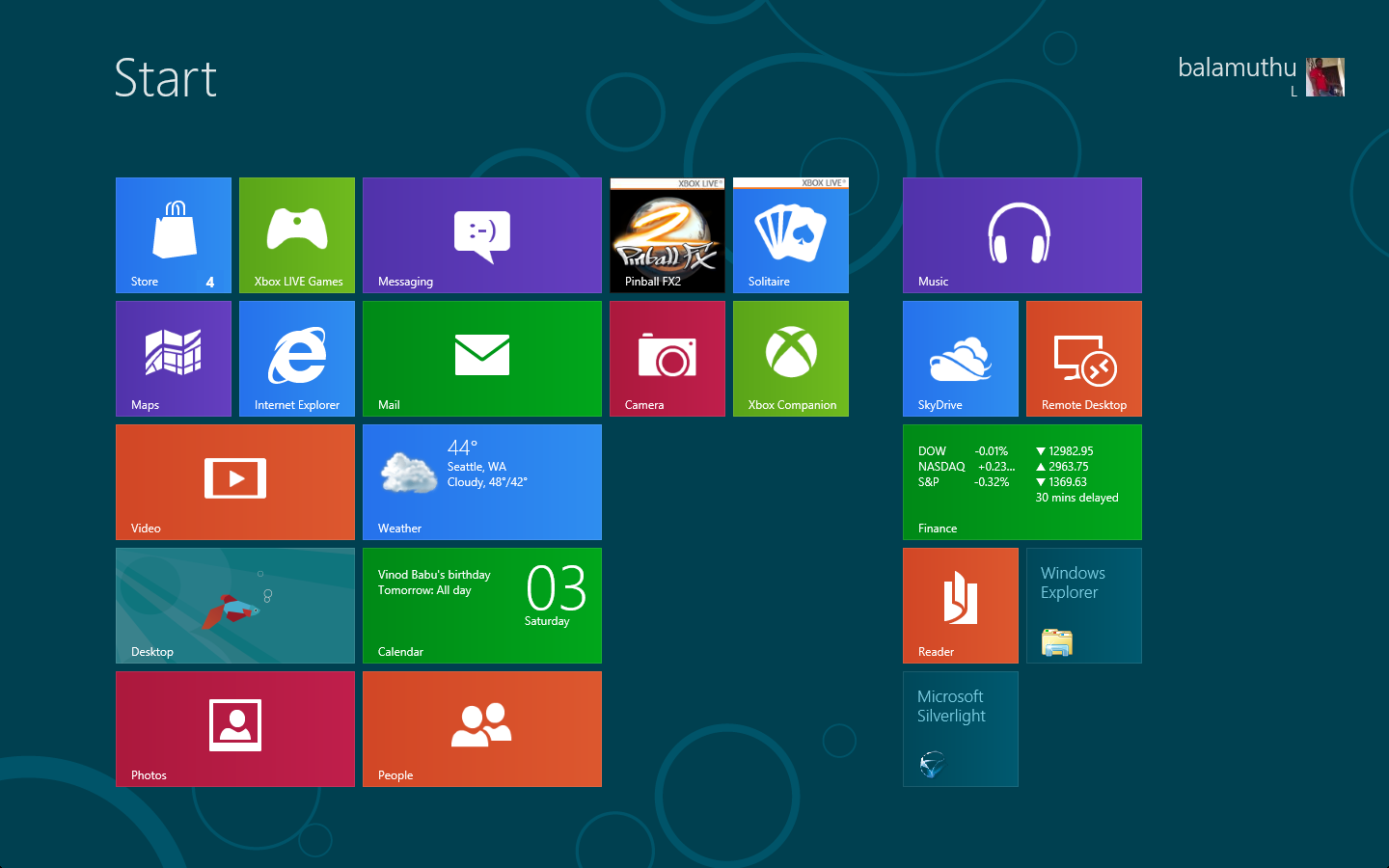
I had to install the VMware tools for drivers and then installed a couple of updates that prompted as important. Finally I’m all set to play with the Windows 8 🙂

I will post again about my experiance with this beta OS.

Bought a Laptop :)

i finally a bought a new laptop yesterday.

its HP DV4 1242 TX. it looks cool and have a pretty good configuration.

today ill  create a recovery disc first and then will start all sort of R&D in my laptop 🙂

hv a look at my laptop….

Balu's Laptop
Balu's Laptop

New Google Ocean Takes Google Earth Beyond the “Dirt”

Exploring the oceans no longer requires a wetsuit.

Ocean in Google Earth, which launched today, builds on the free, popular 3-D mapping software Google Earth by allowing users to navigate underwater in unprecedented clarity.

New “layers” to the satellite-based software include topographic maps of the seafloor; locations of shipwrecks and algal blooms; and even maps of the tiny phytoplankton that provide the bulk of the ocean’s food chain.

Within the layers, users can explore multimedia features that combine data and maps with videos, quizzes, and other interactives.

The new fish-eye view—accessible via a free upgrade—aims to provide a public platform for users to talk about the oceans, said John Hanke, director of Geo Products at Google. “It really is a means… [of] raising geographical awareness of oceans and … the pressures that are being put on life in the ocean,” he added.

Into the Blue

The idea first came to well-known marine biologist Sylvia Earle at a conference in Madrid a few years ago, when she addressed Hanke during a presentation.

“I just blurted it out,” Earle, a National Geographic explorer-in-residence, recalled. (National Geographic News is owned by the National Geographic Society.) ”

I said, I hope someday, John, you’ll finish [Google Earth]. You’ve done a great job with the dirt, but there’s all that water out there—the world is blue.”

Seventy-two percent of the Earth is covered by oceans. For More News >> Courtesy: NGC

Microsoft Skydrive

Microsoft has extended the skydrive space to 25 gb. now store, access, and share your files with friends or co-workers, from anywhere online. Free 25 GB online storage means you can easily get to your stuff with just a few quick clicks.

Features

  • Password protection: You set the passwords and you decide who sees what, so you have confidence that your data is in your control.
  • Drag and drop: Uploading content is as easy as dragging and dropping the files from your computer onto the Web.
  • Shared folders: Working on a project with classmates, co-workers, or family? With shared folders, the whole crew can upload, download, and collaborate with you on documents and other files.
  • Direct links: Each folder on SkyDrive has a unique Web address, so you can save the link as a favorite or copy-and-paste it into e-mail or other documents for direct access.

check this link for more info about skydrive

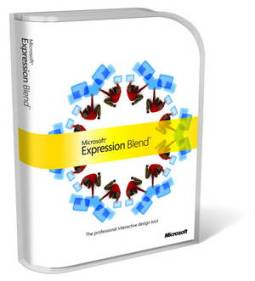
Microsoft Expression Blend

Today I just got thru a website and read about Microsoft Expression Blend. It seems interesting.

Of course this tool came in to use long b4 but only 2day it just caught my sight J


expression_blend_packshot_ce06eaf47d1


This tool helps developer to design UI with ease.

After seeing this I guess there will not be any more rectangular/square command button J that we usually see in classic visual basic.

Visual studio developers won’t struggle for creating UI here after and need not go for a third party tool. It has similarities to other programs like Photoshop, Illustrator, Dreamweaver and Flash. So working in Expression Blend won’t be that hard for those who are familiar with adobe products.


I’ll try using this tool soon J

– Happy programing –


Visit the below link for more information

http://www.microsoft.com/expression/features/Default.aspx?key=blend

You’ve Been Programming Too Long When…

  1. When you are counting objects, you go “0,1,2,3,4,5,6,7,8,9,A,B,C,D…”.
  2. When asked about a bus schedule, you wonder if it is 16 or 32 bits.
  3. When your wife says “If you don’t turn off that darn machine and come to bed,then I am going to divorce you!”, and you chastise her for for omitting the else clause.
  4. When you are reading a book and look for the space bar to get to the next page.
  5. When you look for your car keys using: “grep keys /dev/pockets”
  6. When after fooling around all day with routers etc, you pick up the phone and start dialing an IP number.
  7. When you get in the elevator and double-press the button for the floor you want.
  8. When not only do you check your email more often than your paper mail, but you remember your {network address} faster than your postal one.
  9. When you go to balance your checkbook and discover that you’re doing the math in octal.
  10. When you dream in 256 palettes of 256 colors.